Fricking Website
Fricking Website
Case Study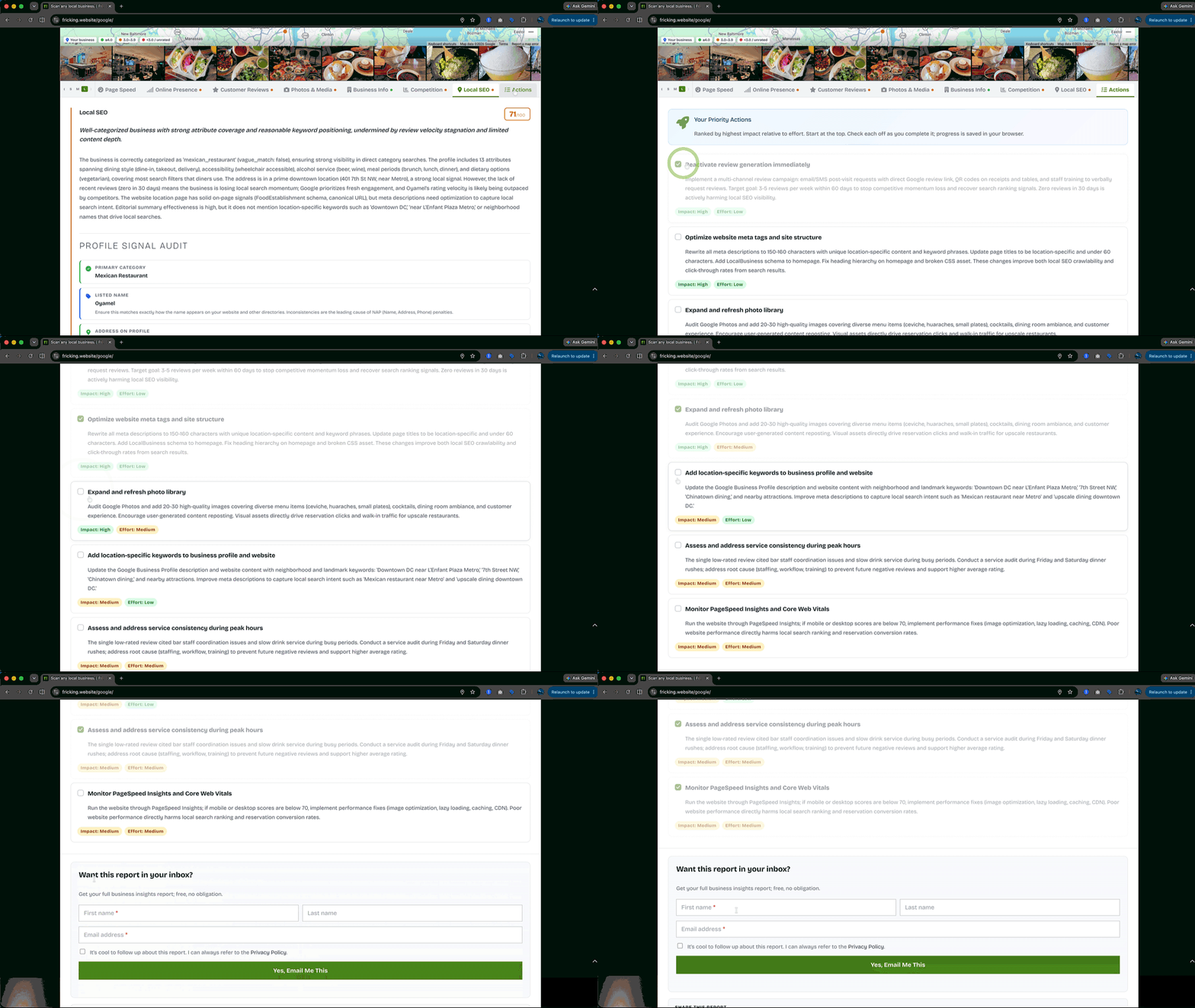
Contents
Overview
With each feature, I stress-test one question: am I still shipping a useful tool suited for commerce without extraction?
I upgraded my web hosting package last year in 2025.
The package came with a free domain. I picked fricking.website because it was a good name for a sandbox where I could test web components.
As AI tools started showing up everywhere, I got curious about what they could actually do in a practical context.
I started experimenting in the sandbox. Small, local businesses felt like useful test subjects, partly because local SEO is tedious and data-heavy, which is exactly where automation tends to help most.
I went with WordPress, and after a few feature iterations to understand how Google and Claude APIs could be layered, Fricking F! Insights as an enterprise-grade web app came out.
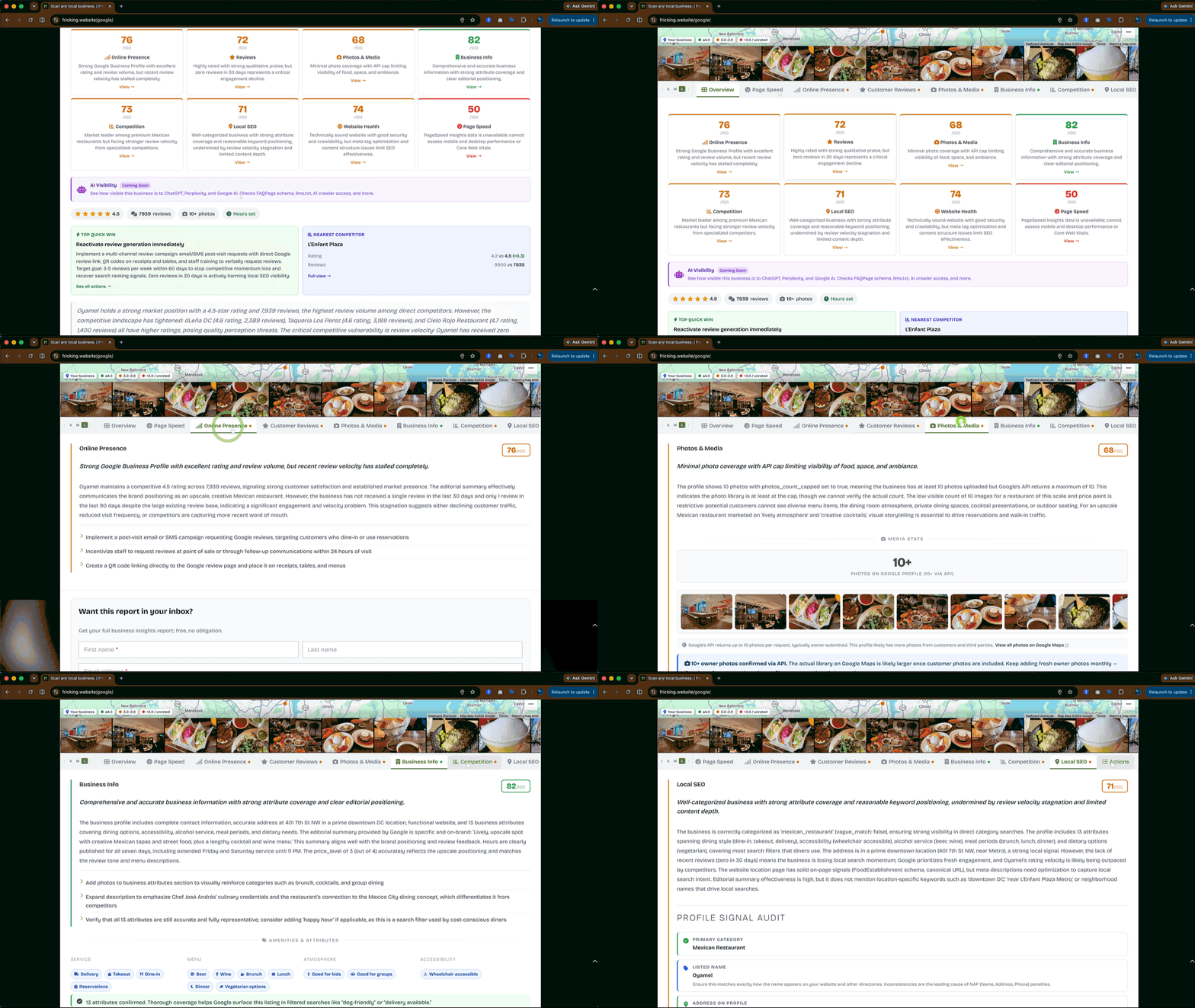
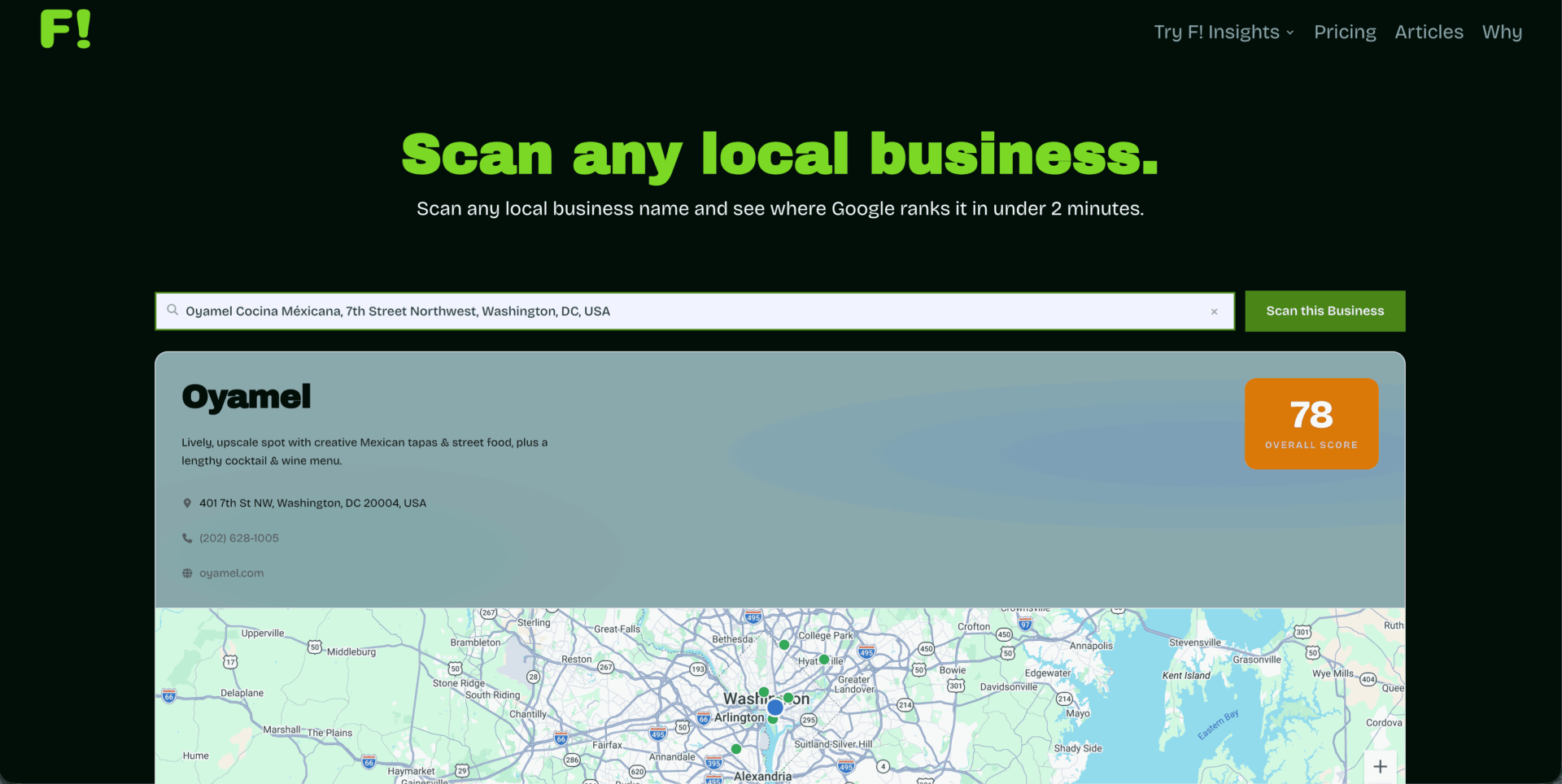
A visitor types a local business name, and the plugin pulls live data from Google, runs a PageSpeed audit, surfaces nearby competitors, sends the package to Claude, and returns a scored diagnostic report across eight categories.
Over the last four months, I've added lead capture, a CRM, bulk prospecting, Google Business Profile management, client billing, and embeddable charts.
I'm still testing. Each version gets more specific.
What I'm documenting here isn't a finished product. It's what happens when you run web design, plugin architecture, vibe coding with a technical foundation, SEO, copywriting, and flywheel thinking through a single project at the same time, using your own values as the filter at every decision point.
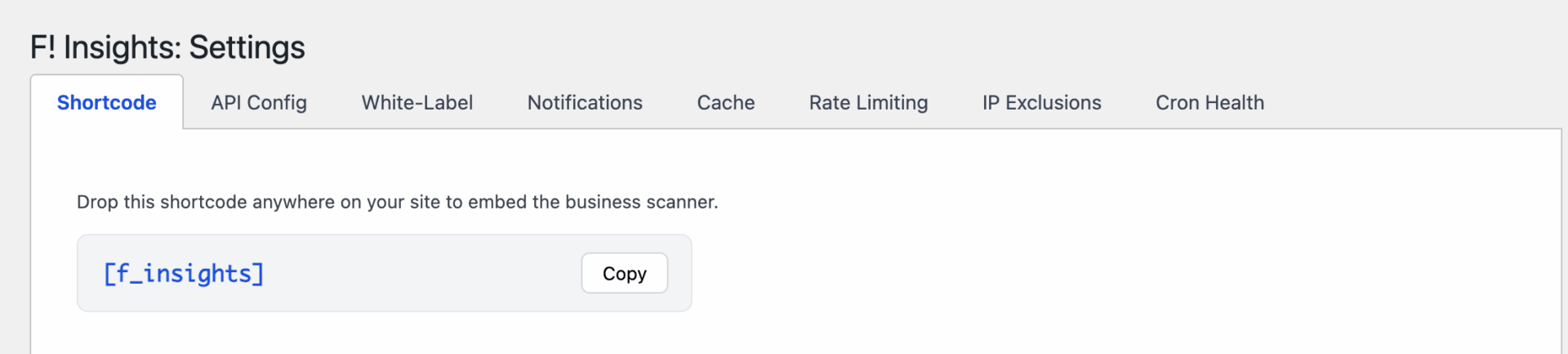
The plugin runs on your server, uses your API keys, and stores your data in your own database. Nothing routes through my infrastructure. When you uninstall, your leads, scan history, and client notes stay put.
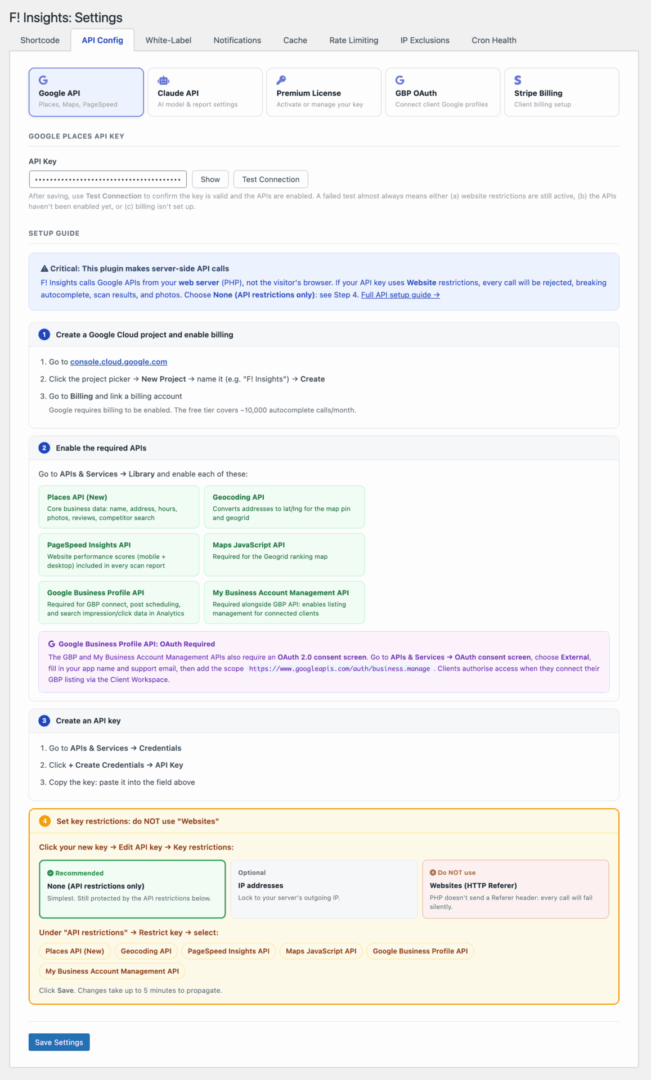
Cory Doctorow calls what happens to most software over time "enshittification." Useful at launch, then investors arrive, then pricing changes, then your data becomes someone else's asset.
The guardrail I'm most proud of is that building with self-hosting in mind prevents me from ever changing my mind about it.
Product
Journey 01 — inbound
Business Owner Scans Their Own GBP
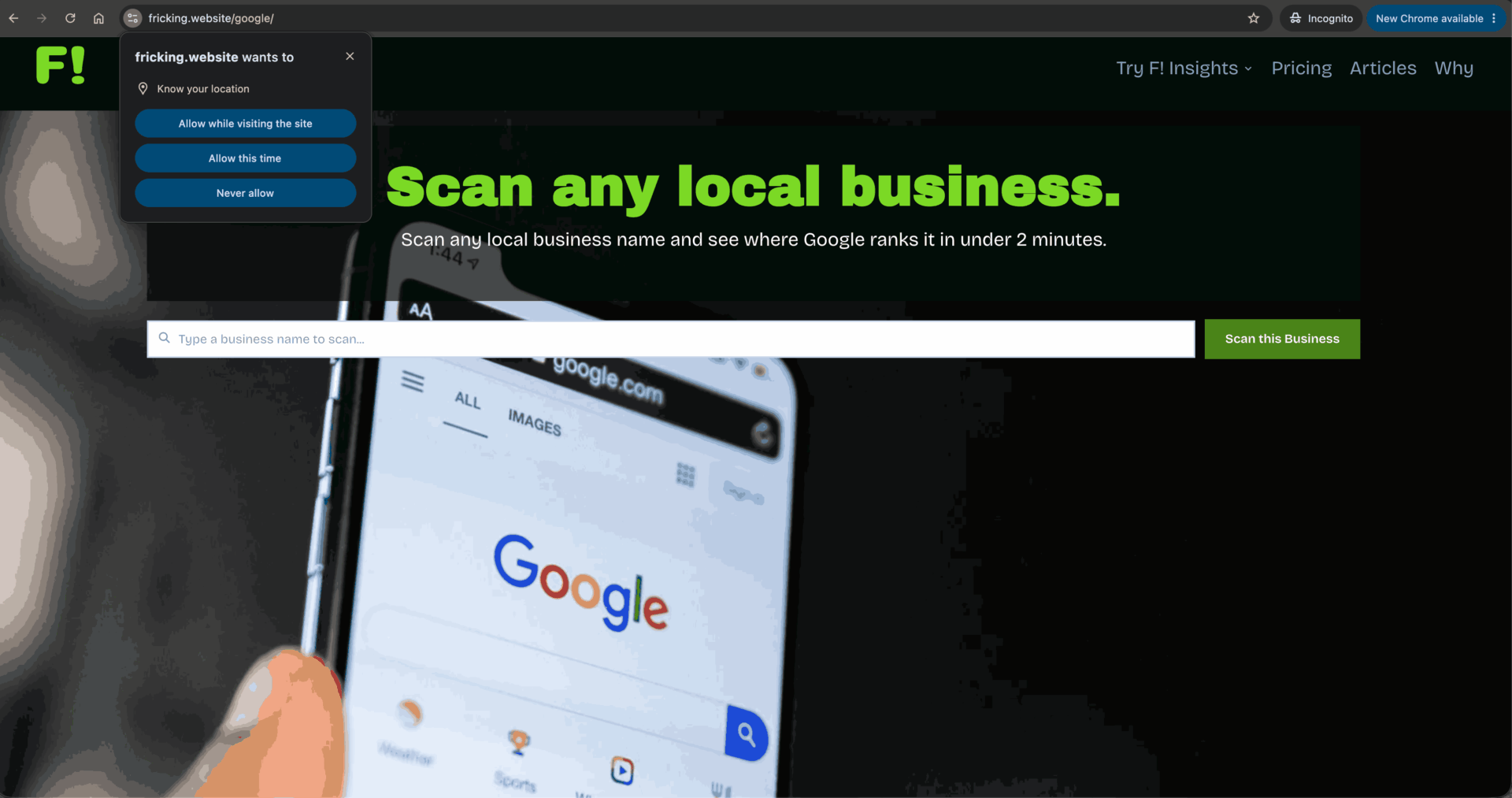
The Scanner - Free Tier
The free version is complete. Nothing is held back to force an upgrade. What's missing is everything that happens after someone scans: you don't know who they are, you can't follow up, and the reports carry no branding. That's where the premium tier starts.
Lead Capture - Premium
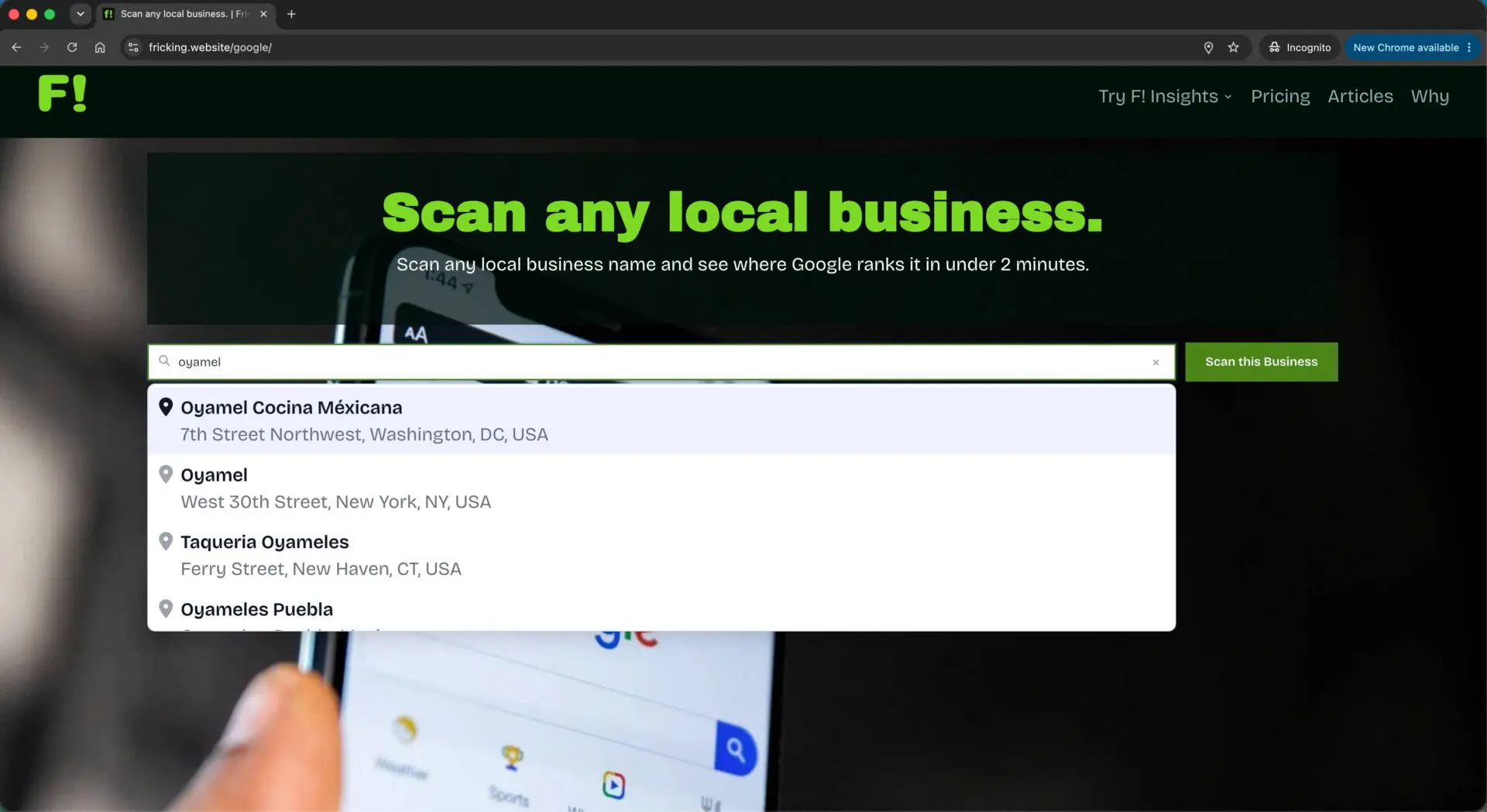
A configurable form appears after the report renders, not before. The reasoning is in the UX section. On submission, the lead is stored with score, pain points, and scan ID. A branded HTML report goes to the visitor via wp_mail. The admin gets an optional notification, configurable by score threshold. A cold pitch can be generated on demand per lead, written from that specific business's data rather than a generic template.
Prospecting Search - Premium
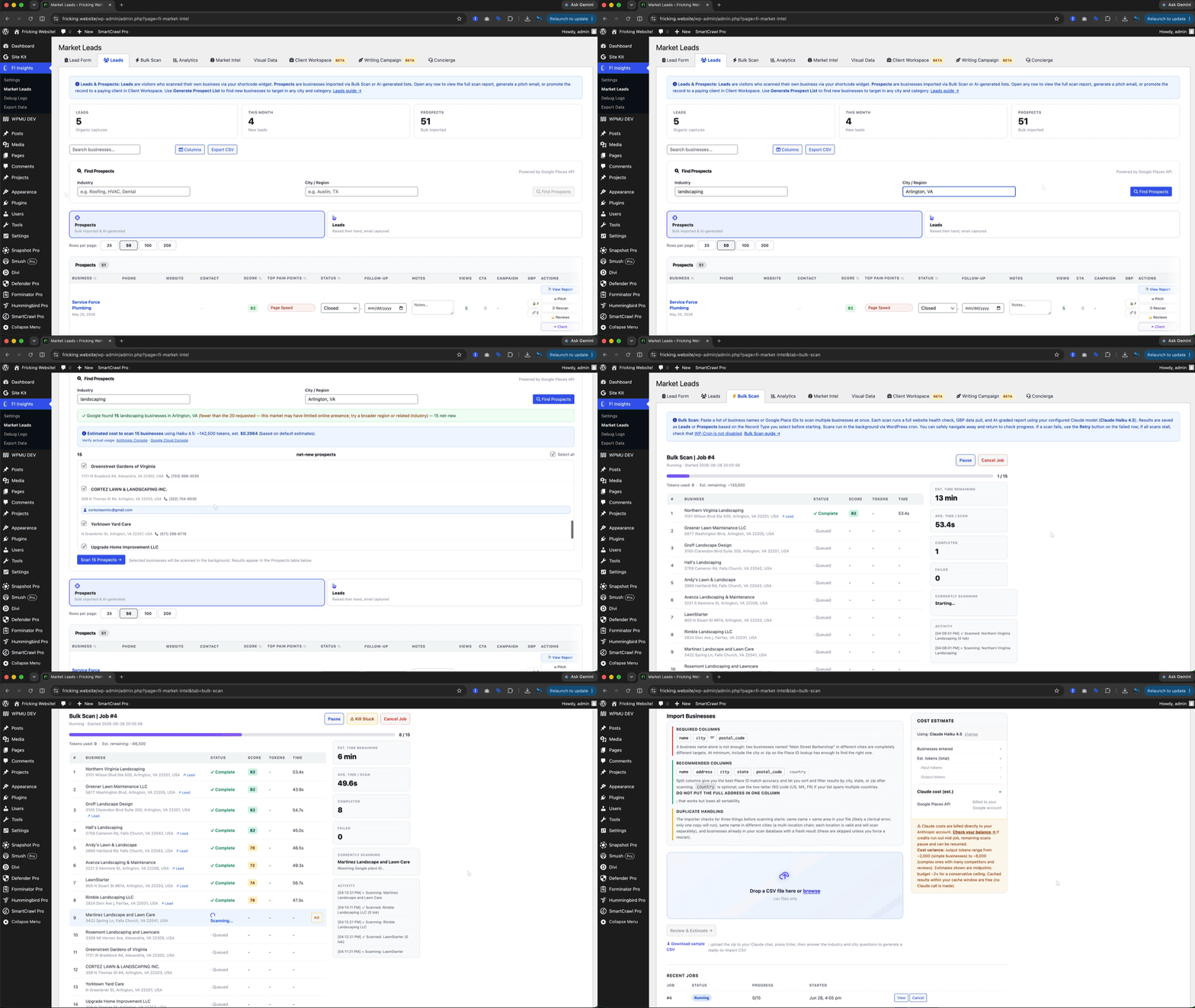
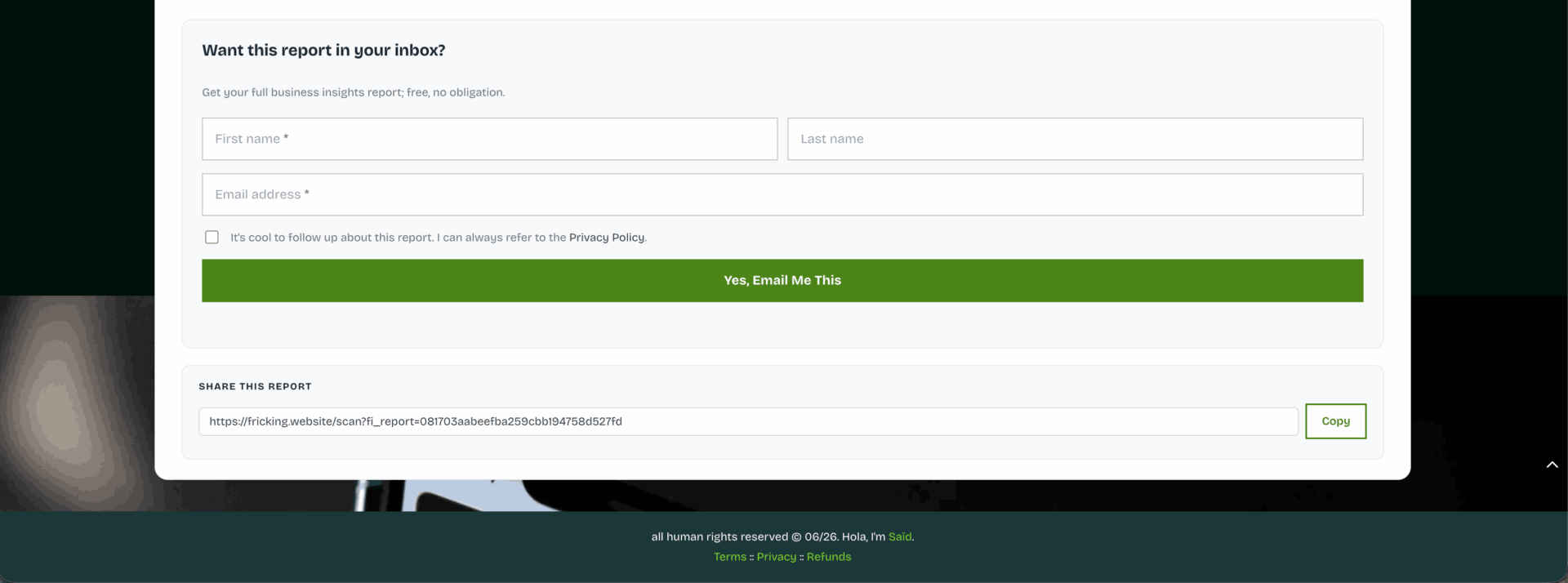
Inside the Leads tab, a widget lets you generate a prospect list by entering a business category and location. The plugin uses AI to surface businesses matching that vertical and imports them directly into the pipeline as Prospects, ready for bulk scanning or manual outreach without needing a CSV or external list source.
Journey 02 — outbound
Consultant Builds and Works a Prospect Pipeline



Bulk Scan - Premium
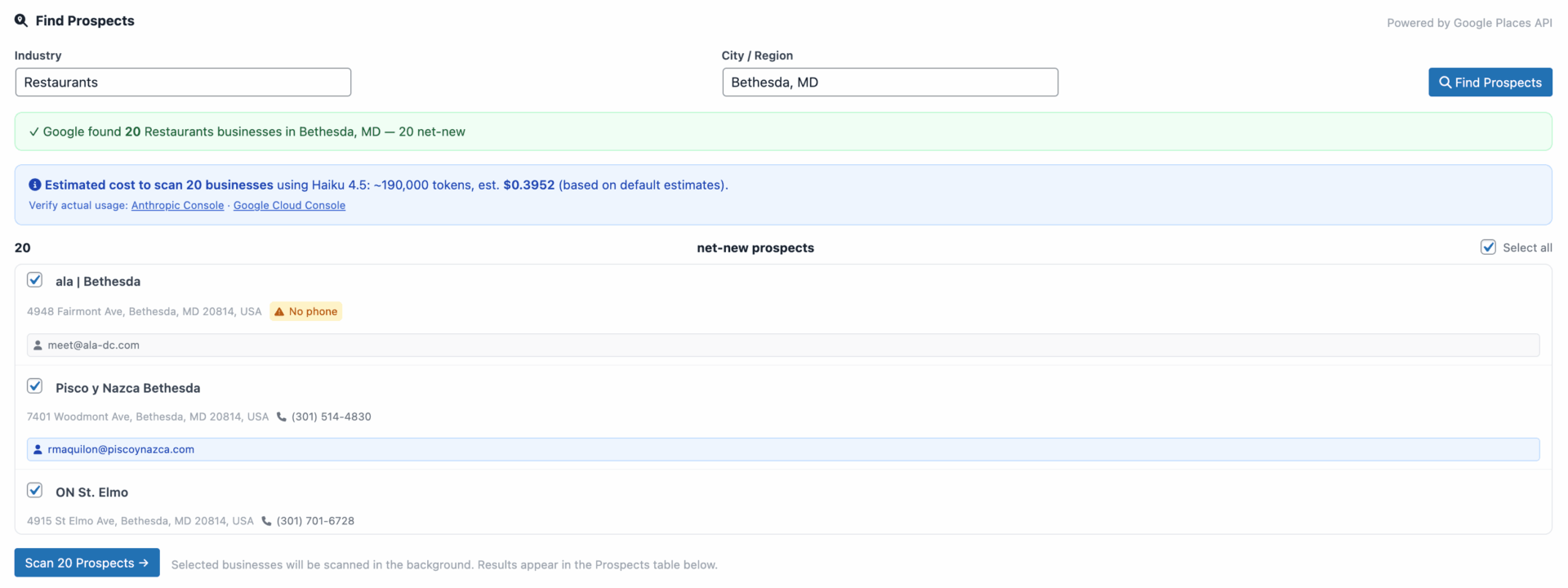
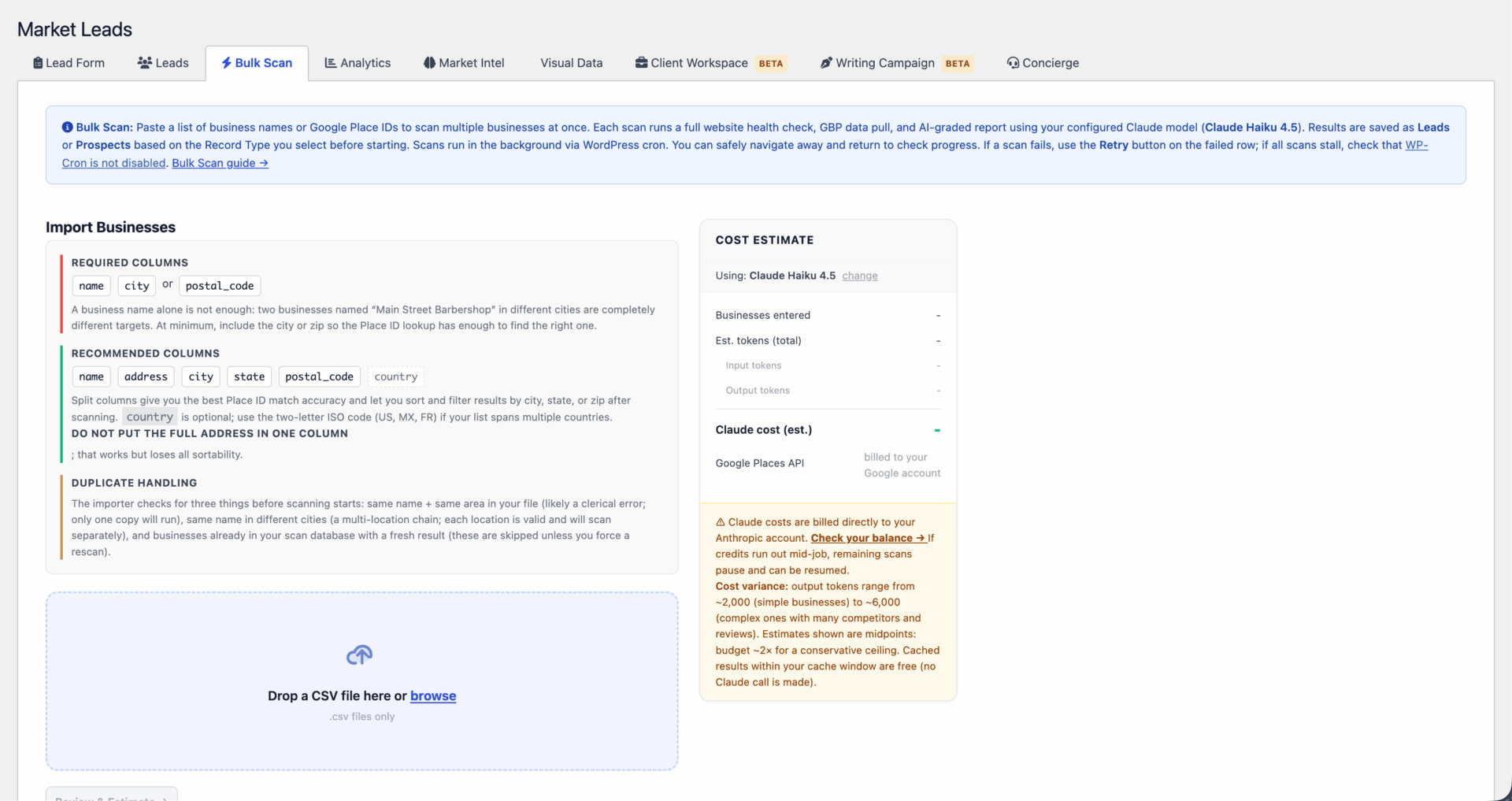
Upload a CSV of business names and addresses. The plugin queues them through WP-Cron and processes them asynchronously in the background: Google pull, Claude grading, results stored as Prospects in the pipeline. The progress monitor supports pause, resume, cancel, per-item retry, and auto-recovery for stuck items.
GBP Fulfillment Stack - Premium
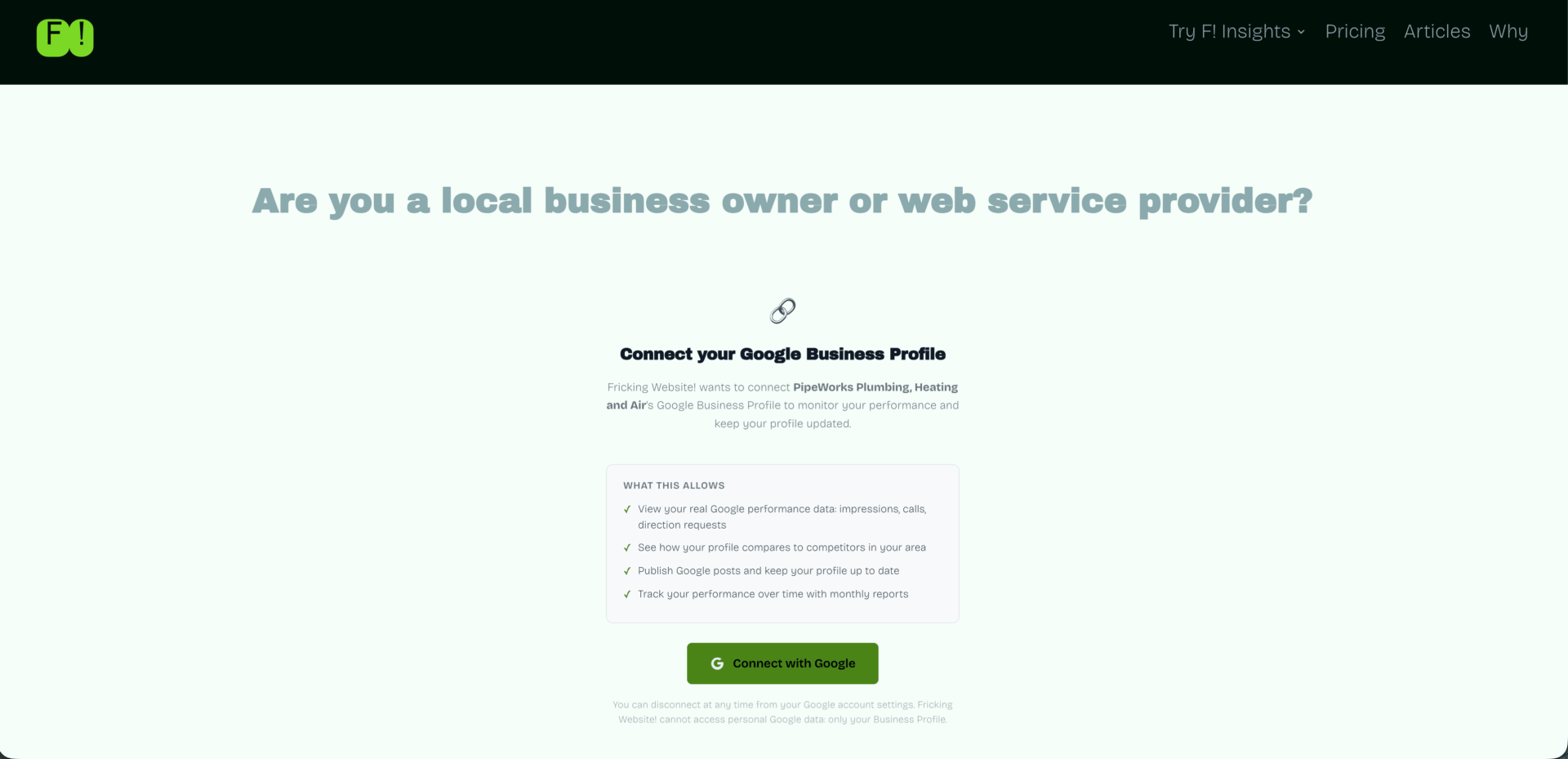
Once a client connects their Google Business Profile via a one-time OAuth link (no admin credentials needed), the Client Workspace handles ongoing delivery. One persistent dropdown. Seven sub-tabs. The client context doesn't reset between tabs.
The sub-tabs cover GBP Posts (Standard, Offer, Event), a Service Pages Engine for AI-generated SEO pages with Yoast, SmartCrawl SEO, and Rank Math injection; a Profile Optimizer with a six-item completeness checklist and a push-to-GBP button; a Post Cadence Engine that fills a four-week rolling queue; a Rankings Dashboard with six data panels; and Review Templates (25 AI-generated responses across five tones and five star ratings, plus request templates for SMS, email, and in-person).
Near Me Visibility - Premium
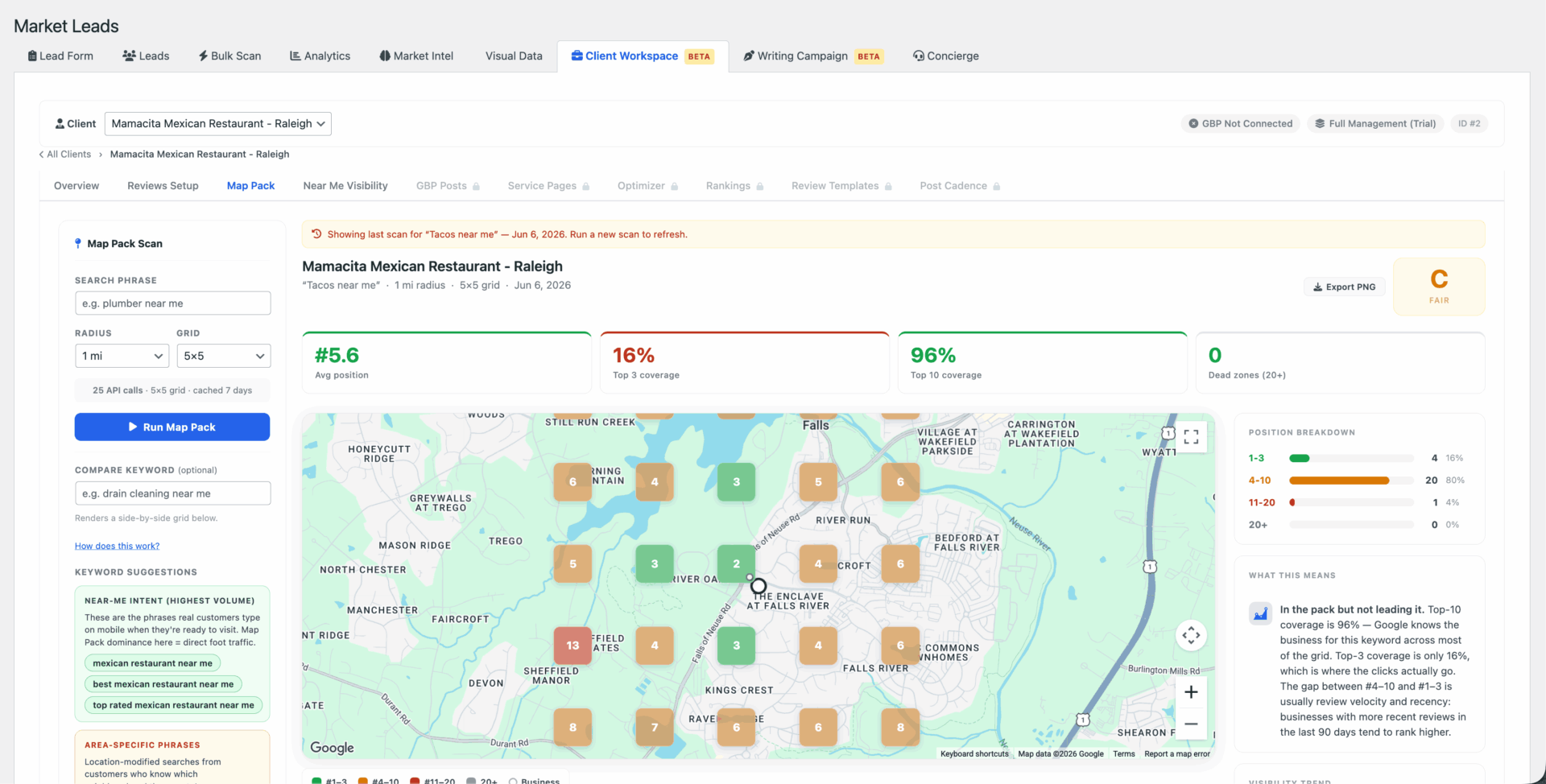
After any Map Pack geogrid scan, the plugin generates a five-pillar action plan from the client's actual data. The five pillars are GBP-Web Alignment, Hyper-Local Content, Attribute Gap Analysis, Citation Health, and Local Authority. Plans are cached. A rebuild costs roughly $0.05 in tokens and only runs when explicitly triggered.
This feature is only available internally due to the amount of calls it needs so that admins are only running calls after a client lead has been closed and they're engaged in a fulfillment funnel.
Writing Campaign - Premium (beta)
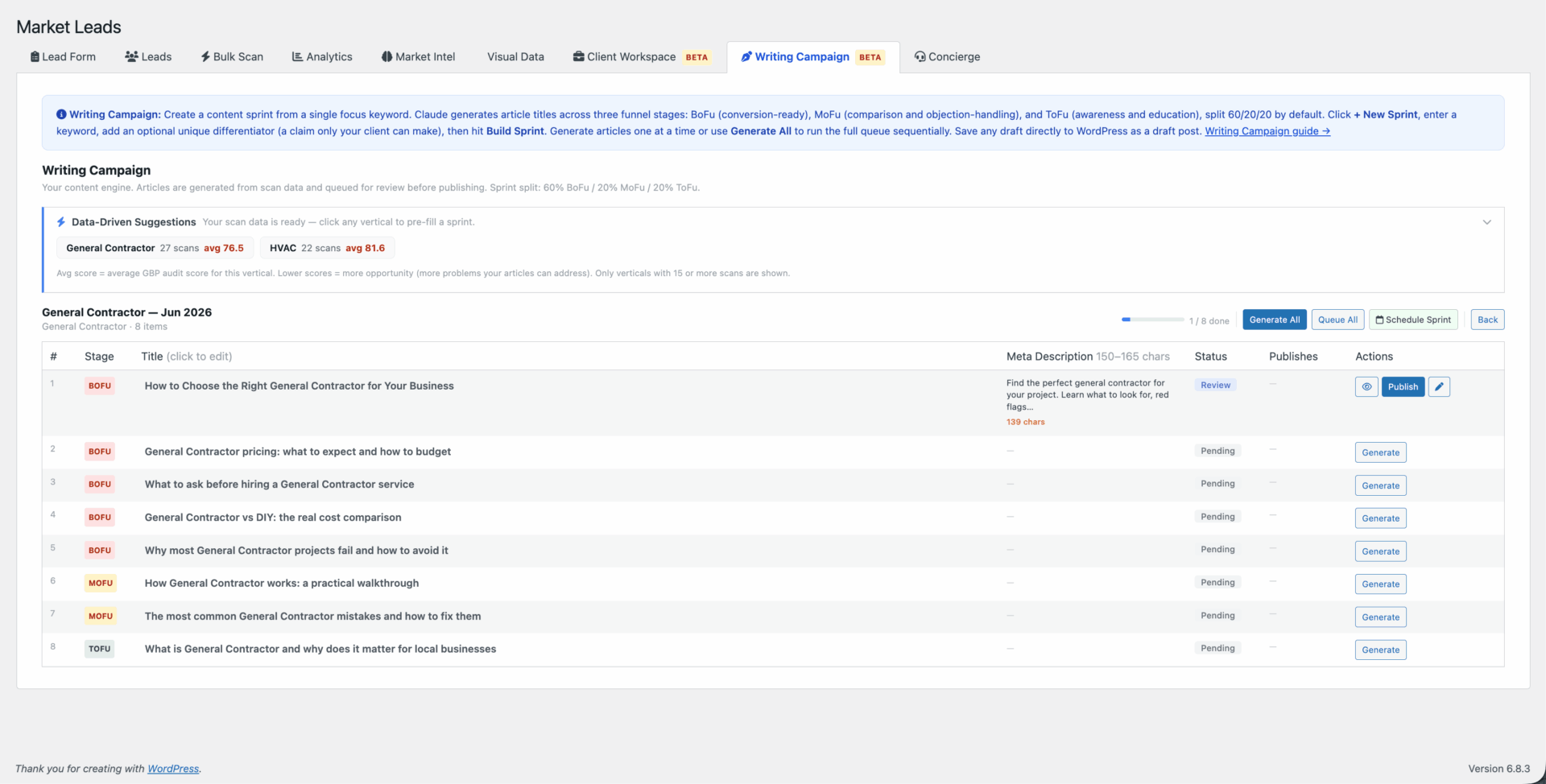
A keyword-first content sprint engine. Enter a focus keyword and a unique differentiator (a specific claim only this business can make), and the plugin generates a prioritized article queue split across funnel stages: 60% bottom-of-funnel, 20% mid-funnel, 20% top-of-funnel. Claude writes each article with the differentiator woven into the opening. Completed pieces save as WordPress draft posts tagged to the sprint.
The differentiator requirement is deliberate. Generic AI content is invisible. Anchoring every article to a verifiable specific claim ("200+ jobs since 2019, 4.9-star rating") produces copy that can't be replicated by a competitor running the same model with a different keyword.
Data Visualization - Premium
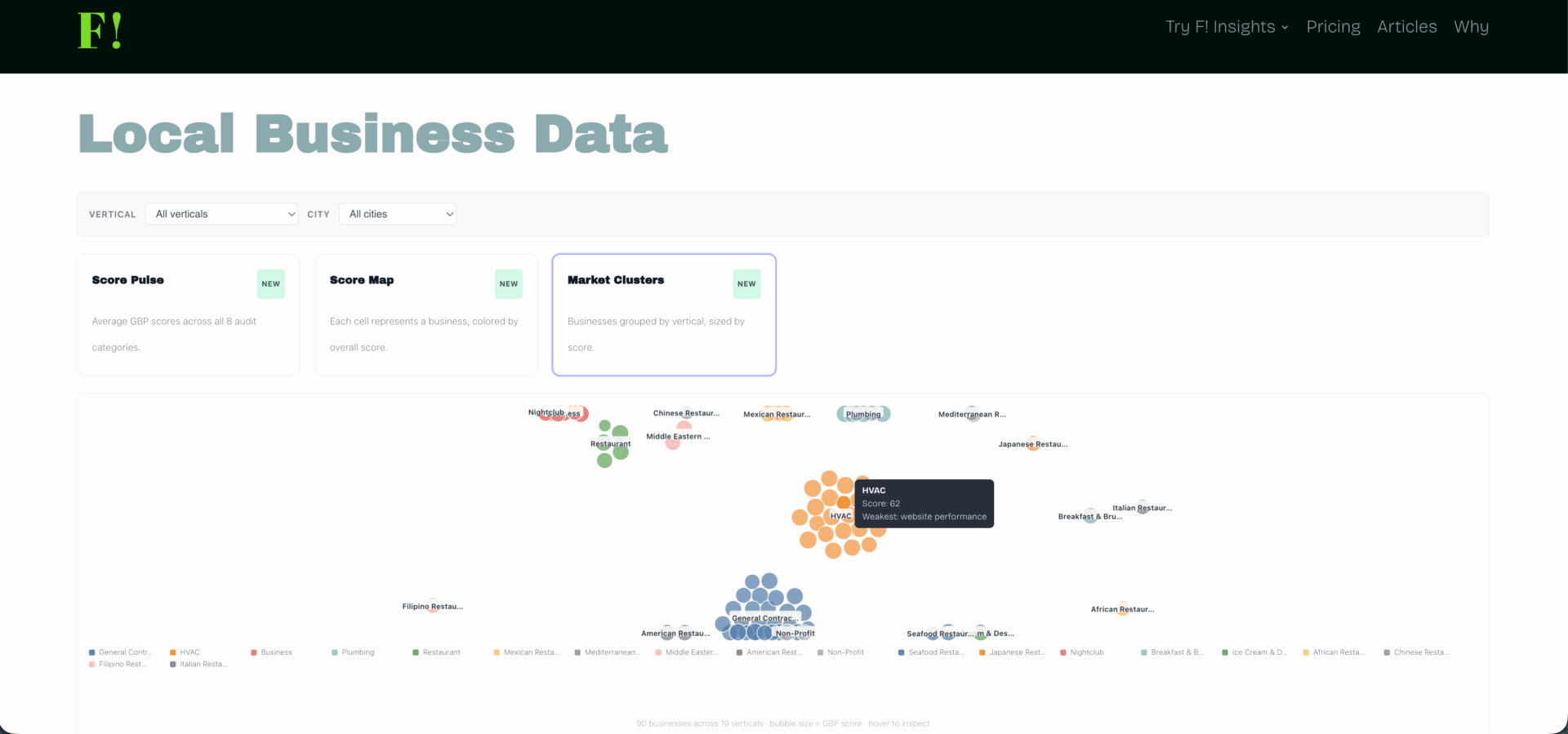
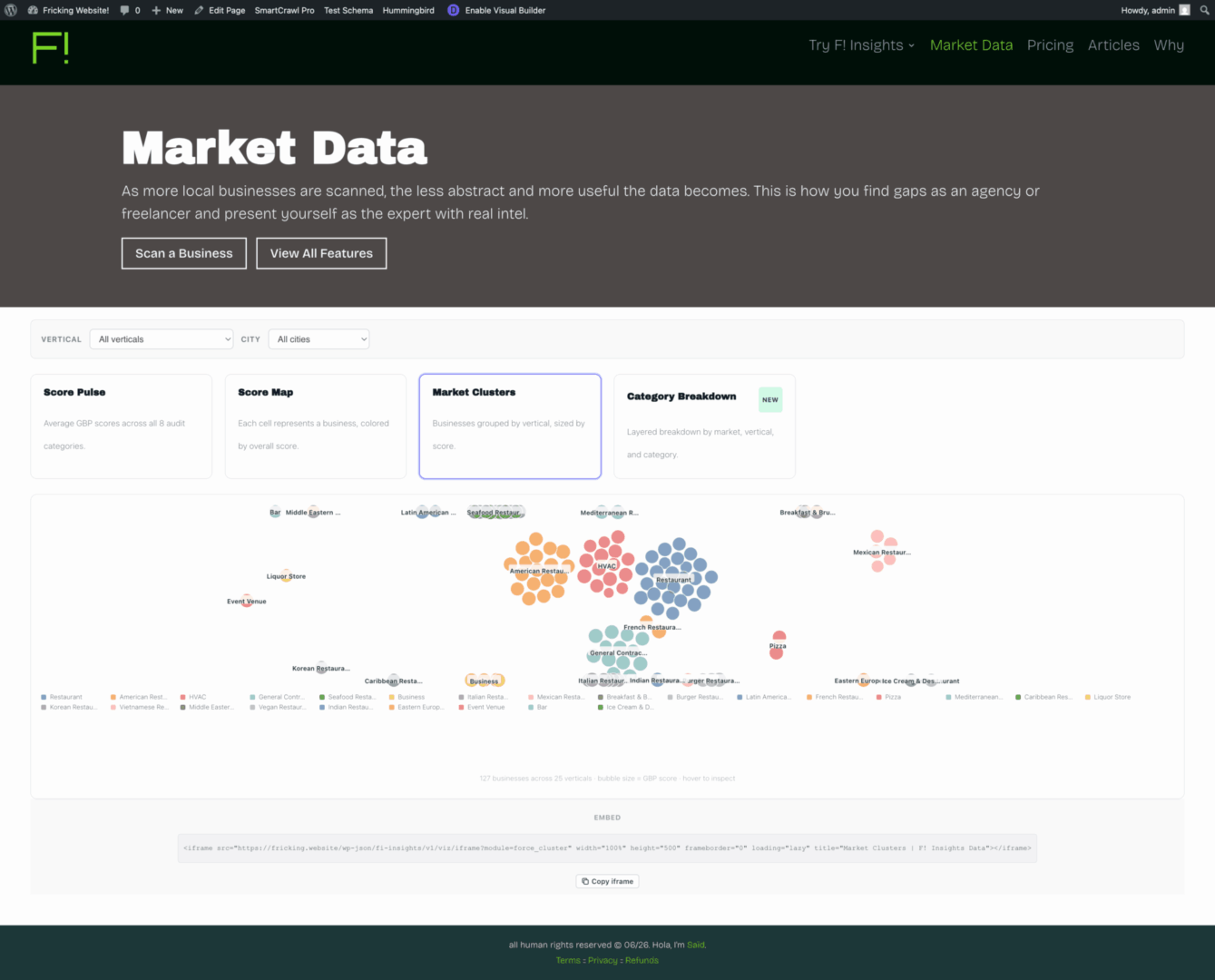
A shortcode publishes aggregated scan data as embeddable D3.js charts. Five modules unlock progressively as scan count grows (at 10, 25, 50, 100, and 250 scans): radial area, Voronoi map, force simulation, sunburst partition, and chord diagram. Every iframe embed includes an attribution footer that links back to the consultant's hub page, so third-party embeds generate passive backlinks as a side effect of normal use.
UX Patterns
I design the product and build it. That combination forces a kind of honesty that consulting work doesn't always require. Every decision has to survive the implementation, not just the wireframe.
Form after report, not before
Most tools in this category gate the report behind a form. I reversed it. The form appears after the visitor has already seen their scored results, because asking someone for their contact information before they've received anything is asking them to trust you before you've done anything to earn it. The form is the same either way. When it appears changes everything about the interaction.
Unlocks, not gates
Market Intel thresholds show up in the UI as named tiers with visible progress indicators rather than generic "not enough data" states. A named unlock like "Score Map unlocks at 25 scans" gives a consultant something to work toward. A gate tells them the tool doesn't work yet. The framing is the product decision.
Persistent client context
The Client Workspace has seven sub-tabs and one persistent dropdown. Switching tabs doesn't reset the selected client. I tried the alternative first. Consultants managing multiple clients across multiple tabs were clicking the dropdown constantly. It's the kind of friction that feels minor in a prototype and genuinely grinds on you in production. Deep links let consultants bookmark a specific client and sub-tab combination and return to it directly.
OAuth over credential sharing
Clients connect their Google Business Profile through a one-time frontend link. They authorize the connection from their own Google account. The agency receives a refresh token stored server-side. No admin credentials change hands.
User Personas & Journeys
Journey 03 — fulfillment
Consultant Onboards a Client and Begins Delivery
The Consultant
Needs research before a sales call. Wants to show up knowing a prospect's two weakest categories and name a competitor by name. The scanner handles what used to take hours.
The Business Owner
Has filled out "free audit" forms before and been spammed. Trusts specificity over generality. Seeing their actual star rating, real competitor names, and a PageSpeed score with a plain-language explanation is different from "your SEO needs work."
The Active Client
Doesn't want to log into anything. Wants confirmation that their profile is being managed. The white-labeled token link, bookmarkable with no WordPress login required, is the only touchpoint they need.
Brand & Marketing
Fricking.website is a sandbox domain I picked because it was memorable and not precious. The name stuck. The F! shorthand works across contexts. The flagship product name, F! Insights, is deliberately literal for the WordPress plugin directory: people searching for "local SEO audit tool" find it because those words are in the name, not because of brand recognition.
Tone
The audience for this tool deletes marketing emails. They've been through every growth tactic. The copy I write for F! Insights aims to state things plainly, use real numbers, and avoid anything that sounds like it came from a conversion copywriting course.
Direct means stating the thing: "Every person who scans their own business is a warm lead," not, "Our platform facilitates intent-based prospect identification."
"Specific" means real numbers: roughly $0.02 per scan on Haiku, not "affordable AI costs."
Pricing is stated the same way: $3K a year, not $2,997. One premium client covers it. One closed deal pays for the year. That's the honest version of the value argument.
YouTube Campaign
I've been experimenting and getting into a cadence of showcasing benefit-led features via ai video creation and traditional point-and-shoot editing with video screencast tutorial-style videos.
Distribution
The free tier as a demo
The Explorer tier is distributed on https://fricking.website. Any consultant who installs it and runs scans sees the full quality of the AI report.
The absence of lead capture, branding, and follow-up tools is felt through use, not explained in a features matrix. That gap does the selling. And their data will be there waiting for them when they upgrade because they already paid for those API calls their scans generated. More ethical FOMO.
Data Visualization
The visualization layer was built to be useful. The embed structure was built to build links. When a consultant publishes a local market report and a business or chamber of commerce embeds the chart, the attribution footer links back to the consultant's hub page. Link-building happens as a side effect of publishing real data.
Engineering
I'm not a software engineer by training. I'm a designer who learned to implement my own designs and patterns as the technological landscape is in flux. I act as product owner, project manager, and the person who has to fix it when Google changes an endpoint without notice. These are the decisions that come out of that role.
Triple Model Architecture
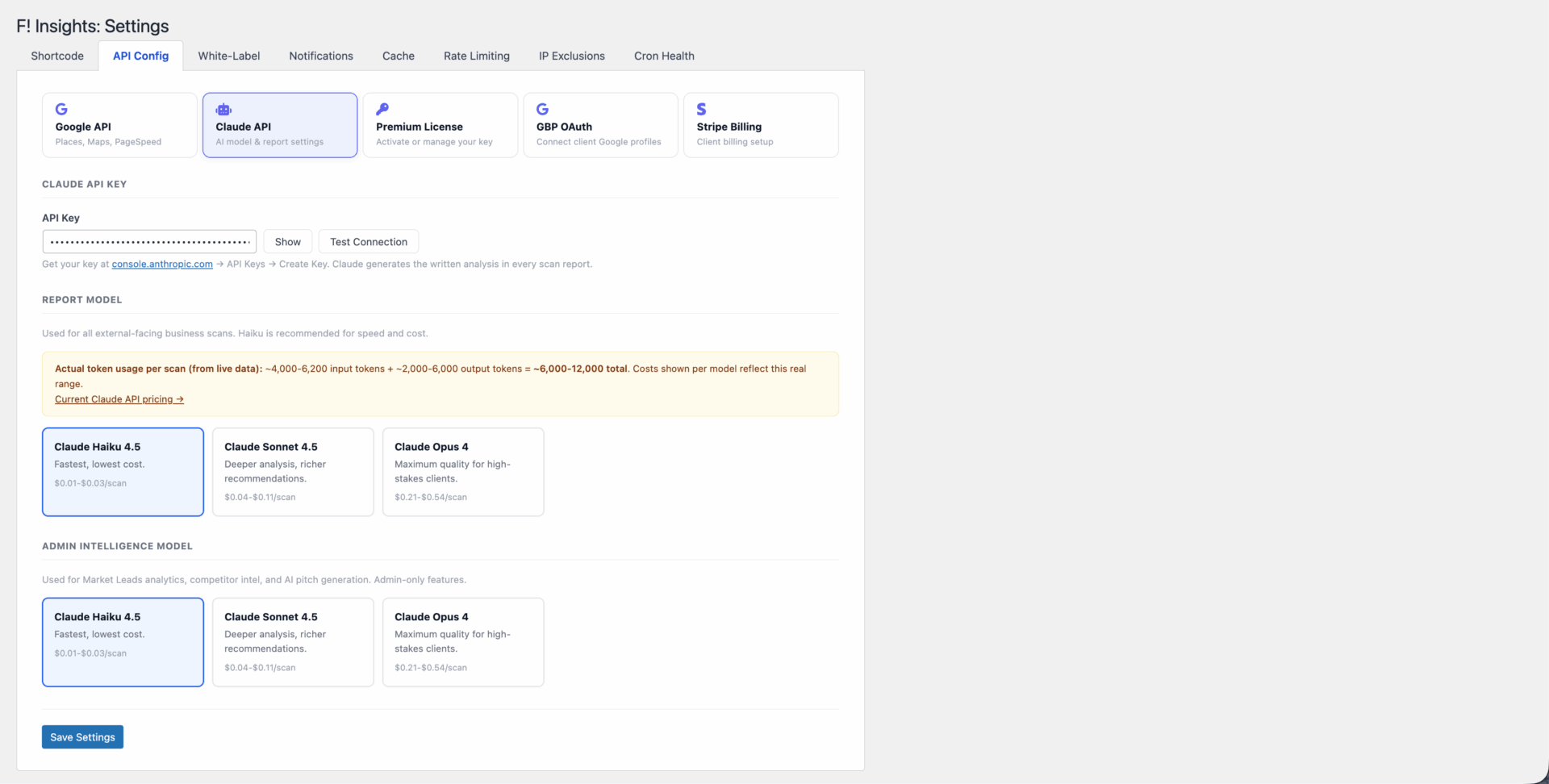
Three separately configurable Claude models, each matched to a different task profile.
The scanner model runs on every public scan. Haiku is the default at roughly $0.02 per scan. Cost is the constraint here because volume is unpredictable. The task is structured scoring across eight categories, not deep reasoning, and Haiku handles it cleanly.
The Market Intel model handles asset generation: cold pitches, competitor analysis, Near Me Visibility action plans, Analytics briefings. These run on demand, not at scan time. Sonnet or Opus is appropriate. The output goes directly into client-facing work, so quality justifies the token cost.
The writing assistant model powers the GBP Client Workspace and Writing Campaign: GBP posts, service pages, post cadence queues, review response templates, full article drafts. Consultants configure it independently so writing quality can be tuned without affecting the other two.
Licensing via Polar.sh
Licensing runs through Polar.sh via webhook. An order.paid event activates the license. An order.refunded event deactivates it. Trial management, renewal flows, and subscription state are all handled externally. The plugin doesn't maintain a licensing server or touch billing logic.
19 Tables & Explicit Uninstall
19 tables, managed with dbDelta
The schema has grown to 19 custom tables across feature areas. All are managed by FI_DB::create_tables() via dbDelta, WordPress's idempotent schema migration utility. Every page load checks the stored DB version against the current constant and upgrades silently if they differ.
Uninstall requires an explicit opt-in flag before any table is dropped. Without it, deactivation leaves all data intact. Nobody loses their lead history because they accidentally clicked uninstall.
Tech Stack
- PHP 8.0+
- WordPress 6.2+
- MySQL
- Vanilla JS + jQuery
- D3.js
- Google Places API (New)
- Google PageSpeed Insights
- Google Maps JS
- Google Business Profile API
- Anthropic Claude API
- Stripe
- Polar.sh
- WP-Cron
- Yoast / Rank Math meta integrations
Economics
What it costs
The visualization layer was built to be useful. The embed structure was built to build links. When a consultant publishes a local market report and a business or chamber of commerce embeds the chart, the attribution footer links back to the consultant's hub page. Link-building happens as a side effect of publishing real data.
| Feature | Explorer | Premium |
| Price (+ api costs) | $0 | $300/mo or $3k/yr |
| Scans | Unlimited | Unlimited |
| Lead capture + pipeline | ❌ | ✅ |
| AI pitch per lead | ❌ | ✅ |
| Bulk Scan (CSV) | ❌ | ✅ |
| 35 Market Intel actions | ❌ | ✅ |
| GBP Fulfillment Stack | ❌ | ✅ |
| Stripe client billing | ❌ | ✅ |
| Data visuals embed | ❌ | ✅ |
| Data ownership | Your DB | Your DB |
| Trial | Free, no limit | 14 or 30 days |